
Choosing the right IPTV player matters as much as choosing the right subscription. The player is the software that turns your M3U playlist or Xtream Codes login into an actual viewing experience, with channel lists, an on-screen guide, VOD browsing, and playback controls. A great IPTV subscription can still feel clunky if it’s paired with the wrong app, while a well-built player can make even a modest channel list feel like a polished TV service.
This guide compares 7 of the most widely used IPTV players in 2026: TiviMate, IPTV Smarters, Perfect Player, Smart IPTV (SIPTV), Flix IPTV, the Kodi IPTV client, and GSE Smart IPTV. Every claim below is based on verified information from official app stores, developer pages, and the Kodi wiki – not marketing copy. Where information couldn’t be confirmed, it has been left out rather than guessed at.
What Is an IPTV Player?
An IPTV player is an app that receives and displays IPTV content but does not supply the content itself. You connect it to a subscription using an M3U playlist URL or Xtream Codes API credentials (server address, username, password), and the app organizes that data into live channels, an Electronic Program Guide (EPG), and often a Video on Demand (VOD) library.
This distinction matters because it explains why the best IPTV player question is separate from the best IPTV service question. A player can be excellent and still deliver a bad experience if the underlying subscription is unstable, and a great subscription can be undercut by a player with a poor EPG or unreliable playback engine. If you’re new to the ecosystem, it helps first to understand what Internet Protocol Television (IPTV) is and what an M3U playlist actually contains before picking software to run it.
Why the Player Choice Matters
Two people can use the same IPTV subscription and have very different experiences depending on which app they run it through. Buffer-free playback, EPG accuracy, and channel-switching speed depend heavily on the player’s decoding engine and how it handles playlist data – not just on the provider.
Features like catch-up TV, hardware acceleration, external player support, and picture-in-picture aren’t universal. Some players support them natively; others need workarounds or don’t support them at all. Knowing which features actually matter to you – before you commit to a player – saves time during setup.
How We Evaluated the Best IPTV Players
Each player in this comparison was assessed against the same criteria: supported devices, playlist and EPG compatibility, core feature set, interface quality, pricing structure, and any documented limitations. Information was cross-checked against official sources, including app store listings, developer websites, and – for Kodi – the official Kodi wiki and GitHub repository.
None of these applications includes channels, movies, or any content of their own. Every one of them requires you to supply a legal IPTV service provider. This guide focuses strictly on the software, not on any specific content provider.
7 Best IPTV Player Reviews
The 7 players below cover a range of use cases, from Android-only power-user tools to lightweight cross-platform apps. Each entry lists supported devices, playlist formats, core features, and who the app fits best.
1. TiviMate IPTV
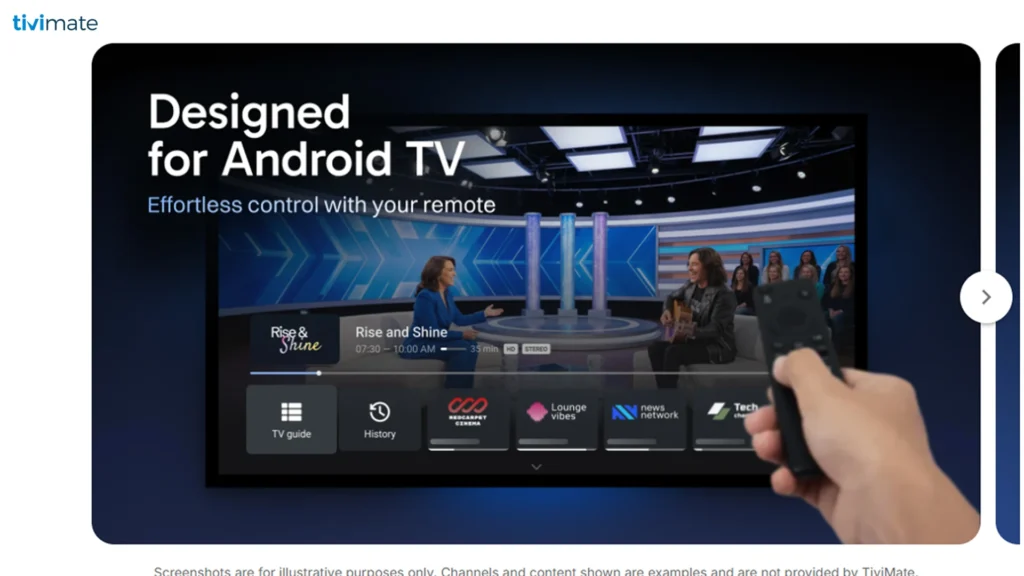
TiviMate is an Android-exclusive IPTV player known for its cable-style Electronic Program Guide (EPG) and deep customization options. It’s developed by AR Mobile Dev and has become one of the most recommended players for Android TV boxes and Amazon Firestick.
Supported Devices:
Android TV, Amazon Fire TV/Firestick, NVIDIA Shield, Chromecast with Google TV, and general Android boxes and phones. TiviMate is not available for iOS, Samsung Tizen, or LG webOS Smart TVs.
Supported Playlist Formats:
M3U and Xtream Codes API, with support for loading and switching between multiple playlists at once.
Key Features:
A full-screen, multi-day EPG with color-coded categories; multiple simultaneous playlist support; scheduled recording to USB or external storage (Premium); picture-in-picture while browsing; favorites and custom channel groups; and hardware-accelerated playback for smooth 4K performance on modest hardware.
Pros:
Best-in-class EPG layout among dedicated players; smooth performance even on entry-level Fire TV Stick models; strong multi-playlist management for users running more than one subscription.
Cons:
Android-only, so iPhone, iPad, and non-Android Smart TV owners can’t use it directly; the free tier is limited, with recording, favorites, and multi-view gated behind the paid TiviMate Premium subscription.
Who Should Use It:
Android TV and Firestick users who want the closest thing to a traditional cable guide experience and are comfortable paying a small annual fee for full functionality.
Pricing:
Free to install with a functional base version, TiviMate Premium is a separate paid subscription (managed through the TiviMate Companion app) that unlocks recording, multi-screen, and advanced EPG tools.
Final Verdict:
TiviMate remains the strongest choice for Android-based streaming devices specifically because of its EPG and playback stability, but its lack of iOS or Smart TV OS support is a real limitation for mixed-device households.
2. IPTV Smarters
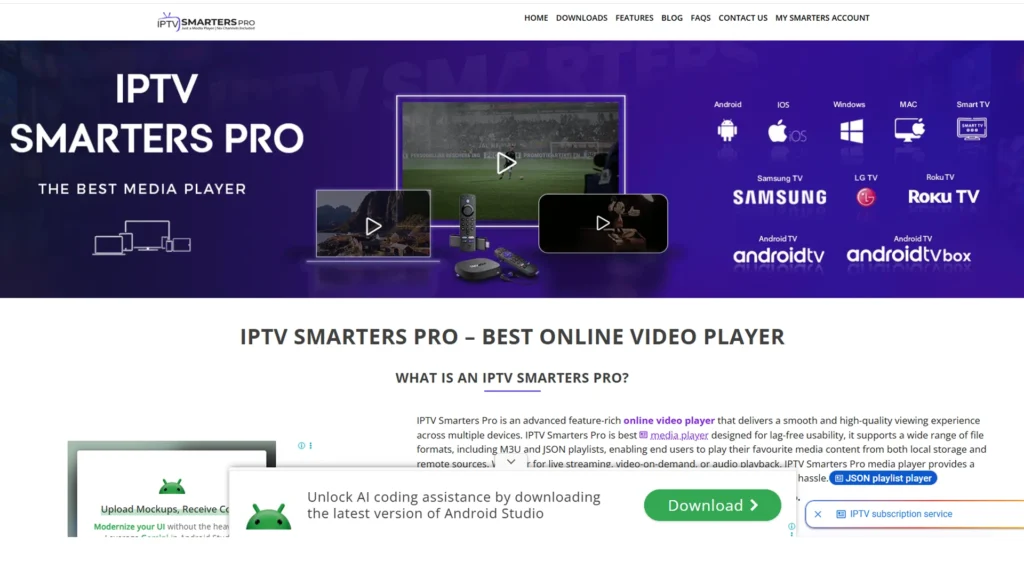
IPTV Smarters Pro is arguably the most cross-platform IPTV player available, built by the same developer group behind the popular Xtream Codes management panel that many IPTV providers use on the backend.
Supported Devices:
Android, Android TV, Fire TV/Firestick, iOS (iPhone and iPad), Windows, macOS, and select Smart TVs. It is one of the very few players with native, feature-complete iOS support.
Supported Playlist Formats:
M3U and Xtream Codes API. Xtream Codes logins typically load Live TV, VOD, and Series into clearly separated sections automatically.
Key Features:
Built-in EPG with program details; multi-screen view for watching several channels at once; parental controls; support for external players such as VLC or MX Player when the built-in decoder struggles; multiple user profiles for managing more than one subscription.
Pros:
The widest device compatibility of any player in this list, including genuine iOS and desktop support; consistent interface across every platform, which shortens the learning curve if you switch devices; regularly updated by an active development team.
Cons:
Not available on the Amazon App Store, so Firestick users must sideload it; interface, while functional, is less visually polished than TiviMate’s; performance depends heavily on which internal player mode is selected.
Who Should Use It:
Households with a mix of devices – Android boxes, iPhones, and Windows PCs – that want one consistent app instead of juggling multiple players.
Pricing:
Free to download and use; no subscription is required for the player itself, only for the underlying IPTV service you connect to it.
Final Verdict:
IPTV Smarters is the safest all-around pick when cross-platform consistency matters more than having the single most advanced feature set.
3. Perfect Player IPTV
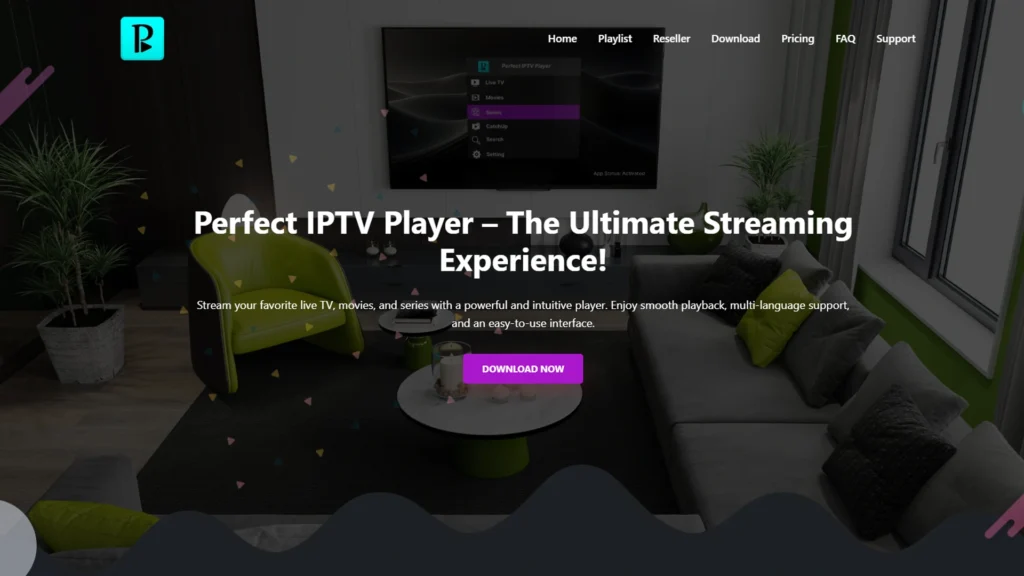
Perfect Player is a long-running, lightweight IPTV player originally built for XBMC/Kodi-style playlist management before becoming a standalone app. It’s been available since 2014, making it one of the oldest actively used players on this list.
Supported Devices:
Android, Android TV, Amazon Firestick (via sideloading), and Windows PC. It is not available for iOS.
Supported Playlist Formats:
M3U, XSPF, and Xtream Codes API (in more recent versions). EPG data can be loaded in XMLTV or JTV format.
Key Features:
A highly customizable interface with adjustable themes, fonts, and layouts; support for both libVLC and Exo Player playback engines; favorites, channel locking, and category organization; multi-language interface support including English, Greek, Portuguese, Russian, Spanish, and Ukrainian.
Pros:
Very lightweight, making it one of the few players that run smoothly on older or budget Android boxes where heavier apps stutter; long track record and stable core functionality; free to use.
Cons:
The interface looks dated compared to newer players; some users report crashes or slow EPG loading with very large playlists; not available on the Amazon App Store, requiring APK sideloading on Firestick.
Who Should Use It:
Owners of older or low-spec Android boxes (such as budget MXQ or X96-style devices) who need a player that won’t lag, and users who value customization over visual polish.
Pricing:
The core app is free; some sources reference a separate paid Pro version with additional features, though the free version covers essential playback, EPG, and playlist management.
Final Verdict:
Perfect Player earns its place through sheer efficiency rather than features – it’s the pragmatic choice for underpowered hardware, not the flashiest option available.
4. Smart IPTV (SIPTV)
Smart IPTV, commonly abbreviated SIPTV, is built specifically for Samsung Tizen and LG webOS Smart TVs, filling a gap that most other players in this list don’t cover natively.
Supported Devices:
Samsung Smart TVs (Tizen OS) and LG Smart TVs (webOS) are the primary targets; it’s also available on some Android TVs and Firestick devices, though those platforms have better-suited alternatives.
Supported Playlist Formats:
M3U playlists and Xtream Codes credentials are uploaded through a web portal rather than typed directly on the TV.
Key Features:
MAC-address-based playlist activation, meaning the playlist is linked to the TV’s identifier through the SIPTV website instead of being entered on a remote-control keyboard; EPG support in XMLTV format; multi-device compatibility once a playlist is registered.
Pros:
One of the only reliable ways to get IPTV directly on a Samsung or LG TV without connecting an external streaming box; simple long-term setup once the initial MAC address activation is complete; no recurring subscription fee for the player.
Cons:
Requires a one-time activation fee per TV (typically a small amount charged through the official siptv.app portal); Samsung has pulled the app from its store in some regions, requiring a USB-based manual installation; on Android 13 and newer, or when installed through Google Play, the app uses a temporary Device ID instead of a true MAC address, which can complicate reactivation after a factory reset.
Who Should Use It:
Samsung and LG Smart TV owners who don’t want to buy a separate streaming device just to watch IPTV.
Pricing:
Offers a free trial period (commonly around 7 days), after which a one-time activation fee tied to the device is required for continued use.
Final Verdict:
For Samsung and LG TV owners specifically, Smart IPTV is close to a necessity rather than just an option — few competitors run natively on Tizen or webOS at all.
5. Flix IPTV
Flix IPTV started as a standalone IPTV player supporting Xtream Codes and M3U logins, but it has since shifted toward being bundled primarily with its own IPTV service subscriptions rather than functioning as a fully independent, bring-your-own-playlist app.
Supported Devices:
Android, Android TV, and Amazon Firestick.
Supported Playlist Formats:
Xtream Codes API and M3U URLs, along with MAC-address-based activation through Flix IPTV’s own web portal for some subscription plans.
Key Features:
Support for external players, including VLC and MX Player; built-in Electronic Program Guide; multiple interface themes; parental control settings; playback up to 4K resolution where the source stream supports it.
Pros:
Clean, modern interface with Netflix-style VOD browsing; strong parental control options, useful for family setups; supports both major playlist formats.
Cons:
In its current form, Flix IPTV is largely tied to purchasing one of its own subscription packages rather than working as a neutral player for any provider; independent security scans of some APK builds have flagged concerns, so downloading only from the official source and pairing it with a VPN is advisable; not available on the Amazon Appstore, requiring sideloading.
Who Should Use It:
Users who are comfortable pairing the player with its associated subscription plans and who prioritize a modern, VOD-focused interface over maximum provider flexibility.
Pricing:
Access is generally bundled with Flix IPTV’s own subscription plans rather than offered as a fully free, standalone player.
Final Verdict:
Flix IPTV looks and feels modern, but its move toward bundled subscriptions makes it less flexible than the other Android players on this list if you already have a separate IPTV provider.
6. Kodi IPTV Client
Kodi itself is a free, open-source media center rather than a dedicated IPTV app. IPTV functionality comes from the official PVR IPTV Simple Client add-on, which is maintained as part of the Kodi project and documented on the official Kodi wiki and GitHub.
Supported Devices:
Windows, macOS, Linux, Android, Android TV, Amazon Firestick (sideloaded), and Raspberry Pi (via LibreELEC or OSMC). Kodi is one of the most widely ported media platforms available.
Supported Playlist Formats:
M3U/M3U8 playlists as the live TV source, with XMLTV as the EPG format. Xtream Codes credentials can also be used to auto-generate a compatible M3U URL.
Key Features:
Full integration with Kodi’s native PVR (Personal Video Recorder) system, including a proper TV Guide grid; channel grouping based on the playlist’s group-title tags; catch-up and archive playback where the provider supports it; support for multiple M3U/XMLTV pairs simultaneously since Kodi 20 (Nexus).
Pros:
Completely free and open-source with no ads or premium tier; combines IPTV with local media, giving you one unified media center for everything; runs on nearly every platform imaginable, including Raspberry Pi.
Cons:
Setup is more technical than a dedicated IPTV app — matching EPG channel IDs to M3U tags can require manual troubleshooting; the interface wasn’t designed exclusively for IPTV, so it lacks the polish of purpose-built players; add-on behavior can change or break across major Kodi version updates.
Who Should Use It:
Users who already run Kodi as a home media center and want to fold IPTV into that same environment, or anyone who wants a completely free, ad-free, cross-platform option and doesn’t mind a steeper learning curve.
Pricing:
Kodi and the PVR IPTV Simple Client add-on are entirely free, with no in-app purchases or subscription tiers.
Final Verdict:
Kodi is the most powerful and flexible option here for anyone building a genuine all-in-one media center, but it asks more of the user during setup than any dedicated IPTV player on this list.
7. GSE Smart IPTV
GSE Smart IPTV is a long-standing, feature-dense IPTV player with a particular strength on Apple platforms, where dedicated IPTV apps are relatively rare.
Supported Devices:
iOS (iPhone, iPad), Apple TV, macOS, and Android (including Android TV and Firestick, generally via APK since it isn’t consistently listed on Google Play).
Supported Playlist Formats:
M3U, JSON playlist formats, and Xtream Codes API, with support for managing multiple playlists from different providers in the same app.
Key Features:
Built-in EPG in XMLTV format; AirPlay and Chromecast casting support; a web-based playlist manager for adding and organizing playlists from a browser; parental controls; support for numerous streaming protocols including HLS, RTSP, MMS, and RTMP with token authentication; dynamic language switching across more than two dozen languages.
Pros:
One of the few genuinely capable IPTV players built for the Apple ecosystem, including a native Apple TV version; AirPlay integration works smoothly for casting from iPhone or iPad to a TV; supports an unusually wide range of streaming protocols beyond standard M3U and Xtream Codes.
Cons:
GSE’s pricing is inconsistent across platforms and app store listings – some versions are entirely free, others use auto-renewing subscriptions or a one-time Pro purchase, which can be confusing when comparing listings; user reviews mention occasional slow developer support response times; not on Google Play, so Android users typically need to sideload the APK.
Who Should Use It:
iPhone, iPad, and Apple TV users who want a full-featured IPTV player without switching to a third-party Android box, and anyone who specifically needs AirPlay casting.
Pricing:
Varies by platform and app: some versions are free, while others use monthly, yearly, or one-time purchase pricing; check the specific store listing for your device before installing.
Final Verdict:
GSE Smart IPTV is the strongest option for Apple hardware specifically, though its scattered pricing structure across different app store listings makes it worth double-checking before you commit.
Feature Comparison Table
The table below summarizes how each player stacks up across the criteria that matter most for day-to-day IPTV viewing: platform support, playlist compatibility, EPG and catch-up handling, and cost.
| Player | Platforms | M3U | Xtream Codes | EPG | Best For |
|---|---|---|---|---|---|
| TiviMate | Android, Android TV, Fire TV | Yes | Yes | Yes (7-day grid) | Android TV / Firestick power users |
| IPTV Smarters | Android, iOS, Windows, macOS, Fire TV, Smart TV | Yes | Yes | Yes | Cross-platform households |
| Perfect Player | Android, Android TV, Fire TV, Windows | Yes | Yes | Yes (XMLTV/JTV) | Older/budget Android devices |
| Smart IPTV (SIPTV) | Samsung Tizen, LG webOS, Android | Yes | Yes | Yes | Samsung/LG Smart TVs |
| Flix IPTV | Android, Android TV, Fire TV | Yes | Yes | Yes | Netflix-style VOD browsing |
| Kodi IPTV Client | Windows, macOS, Linux, Android, Fire TV, Raspberry Pi | Yes | Yes (via M3U conversion) | Yes (XMLTV) | All-in-one media centers |
| GSE Smart IPTV | iOS, Apple TV, macOS, Android | Yes | Yes | Yes | Apple ecosystem users |
How to Choose the Best IPTV Player
The right IPTV player depends far more on your device and household setup than on any single “best overall” title. Start by identifying what hardware you actually own, since device compatibility eliminates most of the guesswork immediately.
If you’re on Android TV or Firestick and want the richest EPG and customization, TiviMate is the strongest fit, provided you’re comfortable with its Premium pricing for full functionality. If your household mixes iPhones, Android boxes, and Windows PCs, IPTV Smarters offers the most consistent cross-platform experience. Samsung and LG TV owners without a separate streaming box should look at Smart IPTV first, since it’s one of the few players built natively for those TV operating systems. Apple-heavy households – especially those using an Apple TV – are usually best served by GSE Smart IPTV.
For older or budget hardware, Perfect Player’s lightweight footprint often outperforms heavier apps that struggle to load large playlists. And if you already use Kodi as a home media center, or want a completely free, open-source option with no premium tier at all, the built-in PVR IPTV Simple Client is worth the slightly steeper setup process.
Beyond the device question, weigh how much you value features like buffer-free playback under a heavy channel load, hardware acceleration for 4K content, catch-up TV, and playlist management if you run more than one IPTV subscription at once.
Frequently Asked Questions About the Best IPTV Player
-
What is the best IPTV player for Android?
TiviMate is generally considered the strongest dedicated option for Android TV and Firestick because of its EPG quality and playback stability, though IPTV Smarters is a solid free alternative if you want the same app to also work on other platforms.
-
What is the best IPTV player for Firestick?
TiviMate and IPTV Smarters are the two most widely used options on Firestick. Neither is available through the Amazon Appstore, so both require sideloading via the Downloader app.
-
Which IPTV player works on Samsung and LG Smart TVs?
Smart IPTV (SIPTV) is built specifically for Samsung Tizen and LG webOS. Most other players on this list, including TiviMate and Flix IPTV, do not run natively on these TV operating systems.
-
Is there a good IPTV player for iPhone or iPad?
Yes. IPTV Smarters and GSE Smart IPTV both offer full-featured native iOS apps, with GSE also providing a dedicated Apple TV version.
-
Do I need a separate IPTV subscription to use these players?
Yes. Every player covered in this guide, including TiviMate, IPTV Smarters, and GSE Smart IPTV, is strictly a playback application. None of them include channels, VOD content, or an EPG on their own – you supply that through an M3U playlist or Xtream Codes login from your provider.
-
What’s the difference between M3U and Xtream Codes?
An M3U playlist is a plain text file listing stream URLs, while Xtream Codes API is a login-based protocol (server, username, password) that typically organizes Live TV, VOD, and Series into separate categories automatically and often loads EPG data more reliably.
-
Does IPTV support catch-up TV and recording?
Catch-up TV depends primarily on whether your IPTV provider supports it, not just on the player. TiviMate and the Kodi PVR client both support scheduled or catch-up-based recording when the provider makes that data available; most other players in this list have limited or no native DVR functionality.
-
Which IPTV player is completely free?
Kodi (with the PVR IPTV Simple Client) and IPTV Smarters are both free with no premium tier for the player itself. Perfect Player is also free for its core functionality.
-
Can I use more than one IPTV player at the same time?
Yes. Since players don’t store content, you can install several apps side by side and load the same M3U or Xtream Codes credentials into each one to compare performance.
-
Is Kodi legal to use for IPTV?
Kodi and the PVR IPTV Simple Client add-on are fully legal, open-source software. Legality depends entirely on the IPTV subscription and content source you connect to it, not on Kodi itself.
Final Verdict
There isn’t a single universal winner among these 7 players, because each one is built around a different device ecosystem or use case. TiviMate leads for Android TV and Firestick users who want the most advanced EPG and customization.
IPTV Smarters is the safest pick for mixed-device households that need one consistent app across Android, iOS, and desktop. Smart IPTV is close to essential for Samsung and LG TV owners without a separate streaming box, while GSE Smart IPTV fills the same role for Apple users.
Perfect Player remains the go-to for older or budget hardware, Kodi is unmatched for anyone who wants a free, all-in-one media center, and Flix IPTV suits users comfortable with its bundled subscription approach.
The most reliable way to choose is to match the player to your hardware first, then weigh which features – EPG depth, catch-up support, multi-screen viewing, or cross-platform consistency – matter most for how you actually watch TV.