
Plex doesn’t have a button that says “add IPTV service.” That surprises a lot of people who assume that because Plex handles live TV and DVR, it must also handle IPTV the same way a dedicated IPTV app does. It doesn’t do so directly, anyway.
What Plex actually offers is Live TV & DVR, a Plex Pass feature built around over-the-air antenna tuners and network tuners like HDHomeRun. IPTV, on the other hand, delivers channels through an M3U playlist or an Xtream Codes login. Those are two different systems that happen to be able to meet in the middle, but only with an extra piece of software sitting between your IPTV subscription and Plex. If you just want IPTV channels playing on your TV with the least amount of setup, a dedicated IPTV player is usually the more direct path. If you specifically want IPTV folded into your existing Plex library, guide, and DVR, it’s possible it just takes a bit more than pasting a playlist URL.
Can You Watch IPTV on Plex?
Short answer: not directly, but yes with the right setup. Plex’s own Live TV & DVR feature is built for antenna and network tuners, not for M3U playlists or Xtream Codes logins. To get IPTV channels showing up inside Plex, most people run a small proxy application that makes the IPTV playlist look like a supported network tuner to Plex.
Plex’s official Live TV and DVR functionality is designed around a compatible tuner and antenna connected to your Plex Media Server, with recording (DVR) as a premium feature that requires an active Plex Pass subscription. That’s the same infrastructure used by cord-cutters pulling in free over-the-air broadcasts, and by owners of network tuners such as HDHomeRun devices.
Plex does not officially list “IPTV M3U playlist” as a supported source type in its Live TV setup. What you’ll typically find instead is a “Have an HDHomeRun?” style prompt during DVR setup, which is looking for a device speaking the HDHomeRun network protocol. IPTV providers don’t speak that protocol; they hand out M3U links or Xtream Codes credentials instead. That mismatch is the entire reason third-party bridging tools exist, and it’s the reason IPTV on Plex has a reputation for being more fiddly than just installing an IPTV app.
What Is IPTV on Plex?
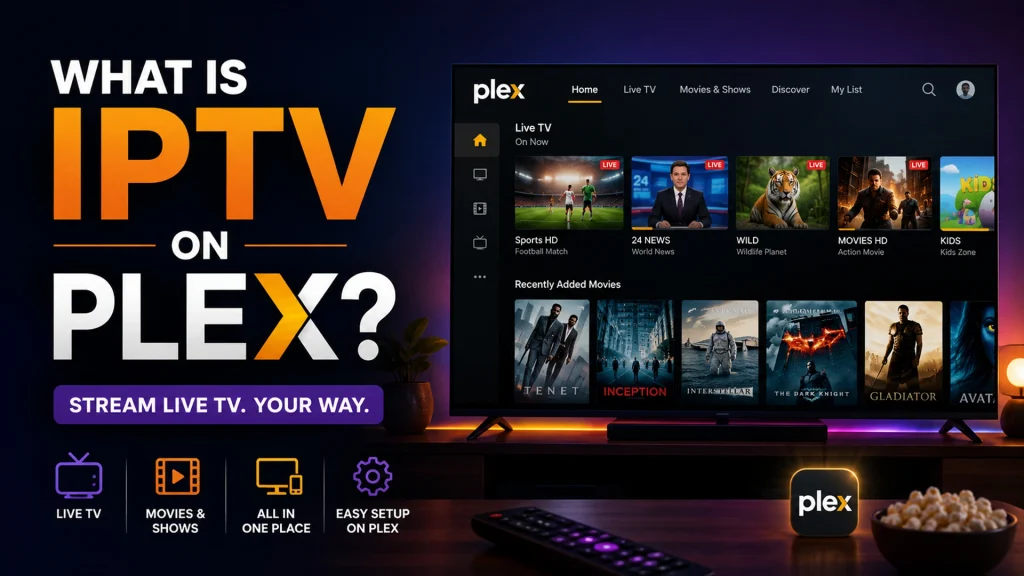
“IPTV on Plex” describes getting IPTV channels to play through your Plex Media Server and Plex apps, rather than through a separate dedicated IPTV player. The basic chain looks like this:
IPTV service → M3U playlist or Xtream Codes login → bridging tool (acts as a virtual tuner) → Plex Media Server → Plex app on your TV, phone, or computer
It helps to be clear about what each piece actually is. Plex is a media server platform; it organizes, streams, and (with Plex Pass) records video content, whether that’s your personal movie collection or live TV. Plex is not an IPTV provider and doesn’t sell channels itself. An IPTV service is a separate company or provider that licenses or streams channels and hands you a way to access them, usually a playlist file or login credentials. If you want a plain-language rundown of what Internet Protocol Television actually is before going further, that’s worth a read first, since the rest of this guide assumes you already know the basics of M3U and channel streaming.
Does Plex Support IPTV Natively?
No, not as a labeled, built-in feature. Plex’s Live TV & DVR system was designed around antenna tuners and HDHomeRun-style network tuners, and Plex’s own documentation frames the feature that way rather than as a general-purpose IPTV client.
Here’s the practical breakdown:
- Plex Live TV lets you watch tuned channels live through supported Plex apps, and Plex has stated it will continue working to bring support to more apps as development moves forward.
- Plex DVR adds recording on top of Live TV, but it’s gated behind Plex Pass, and Plex is explicit that DVR settings live under Settings > Live TV & DVR in the Plex Web App, configured through a setup wizard aimed at tuner hardware.
- Supported tuners are almost entirely over-the-air antenna tuners and HDHomeRun network tuners. Plex even maintains a list of community-supported tuners for hardware it hasn’t officially certified, and notes that even without official support for a tuner, users may still be able to try it as an “unsupported tuner”.
- M3U playlists aren’t a native input option in Plex’s DVR wizard. There’s no field where you paste an M3U URL directly into stock Plex settings.
- This is why third-party solutions exist. Because IPTV and Plex’s DVR speak different “languages,” a bridging tool is needed to translate one into the other, which is covered in detail below.
None of this means IPTV can’t work with Plex; it means it isn’t a first-party feature, and setup expectations should be set accordingly.
What Do You Need to Use IPTV With Plex?
Before setting anything up, here’s the practical checklist:
- Plex Media Server: running on a computer, NAS, or server that stays on and can transcode video if needed.
- Plex Pass: required if you want to use Plex’s official Live TV & DVR interface, since recording and full live TV support sit behind that subscription.
- A legitimate IPTV service: one that actually holds rights to the channels it distributes. See our notes on choosing a legitimate IPTV service provider if you’re still comparing options.
- An M3U playlist URL or Xtream Codes login: the actual channel data your IPTV provider gives you.
- EPG/XMLTV data: a separate feed for program listings, since M3U playlists on their own don’t carry a schedule. Our breakdown of how EPG and XMLTV data works covers this in more depth.
- A bridging/tuner-emulation tool (only if you want IPTV inside Plex’s native Live TV interface): this is the piece that makes an M3U source look like a network tuner Plex can recognize.
- A stable internet connection: upload bandwidth matters too if you plan to stream remotely.
- A compatible playback device: a phone, Smart TV, streaming box, or computer running the Plex app.
Each piece does a specific job, and skipping one, usually the EPG or the bridging tool, is the most common reason people say IPTV “isn’t working” on Plex when the video itself is actually fine.
How to Watch IPTV on Plex
There are three realistic approaches, and they aren’t interchangeable.
Method 1 — Using Plex’s Official Live TV/DVR Features
This method uses Plex exactly as it was designed: with an antenna tuner for free over-the-air channels, or a network tuner like HDHomeRun for a home TV signal. On its own, this method has nothing to do with IPTV; it’s how Plex handles broadcast TV. It only becomes relevant to IPTV when it’s combined with Method 2 below, because the bridging tool works precisely by pretending to be one of these supported tuners.
Method 2 — Using a Compatible IPTV-to-Tuner Integration
This is the approach most people mean when they say they’ve gotten “IPTV working in Plex.” A small self-hosted application sits between your IPTV subscription and Plex. It reads your M3U playlist and XMLTV guide, organizes the channels, and then presents itself to Plex as a network tuner – the same category of device as an HDHomeRun box. Plex’s DVR setup wizard sees this proxy, treats it like real tuner hardware, and pulls in the channel list and guide data the same way it would for an antenna feed.
The advantage is that once it’s running, IPTV channels sit inside Plex’s native Live TV interface: same guide, same remote-friendly navigation, and DVR recording if you have Plex Pass. The trade-off is setup complexity- you’re now running and maintaining an extra piece of software, keeping it updated, and making sure it stays reachable on your network. This guide won’t walk through installing or configuring any specific bridging tool step by step, since the details vary by tool and change with software updates; the point here is understanding the concept so you know what you’re evaluating if you go this route.
Method 3 — Using a Dedicated IPTV Player Instead
For a lot of people, this ends up being the simpler answer. A dedicated IPTV player connects directly to your provider’s M3U or Xtream Codes credentials with no bridging tool, no virtual tuner, and no Plex Pass requirement. Apps like TiviMate, IPTV Smarters, and GSE Smart IPTV are all built specifically around IPTV playlists and provider logins, with EPG support baked in from the start. Our own comparison of the best IPTV players covers how each one stacks up in more detail.
The trade-off runs the other way: IPTV in a dedicated player lives in its own app, separate from your Plex movie and TV library, rather than in one unified interface.
Can You Add an M3U Playlist Directly to Plex?
No, Plex’s DVR setup does not have a field for pasting a standard IPTV M3U playlist URL. The DVR wizard looks for a network tuner using the HDHomeRun discovery protocol, not a raw playlist file. To get M3U-based channels into Plex’s Live TV interface, you need a bridging tool that converts the M3U source into something that presents itself as that kind of tuner Plex isn’t reading the M3U file itself.
This is a common point of confusion because other apps in the same general category, including Kodi’s PVR IPTV Simple Client, do let you paste an M3U URL directly. Plex’s Live TV system simply wasn’t built that way; it was built around discoverable tuner hardware, and support can vary depending on which bridging tool and Plex Media Server version you’re running.
How M3U Playlists Work With IPTV
An M3U playlist is a plain text file that lists channel names alongside their stream URLs. Each entry typically includes:
- A channel name and logo reference
- A group or category tag (like “Sports” or “News – UK”) so players can organize channels
- A stream URL pointing to the actual live video feed
- Sometimes a reference to a channel ID used to match the entry against EPG data
On its own, an M3U file has no schedule information it’s just a list of what to play and where to find it. Any IPTV player, whether that’s a dedicated app or a bridging tool feeding into Plex, reads this file to build its channel list. The separate EPG feed is what fills in “what’s on now and next.”
Can You Use Xtream Codes With Plex?
A password
- A server URL
- A username
- A password
Dedicated IPTV players widely support this because it’s convenient — logging in with Xtream Codes credentials typically auto-organizes Live TV, VOD, and Series into separate sections, and often loads EPG data automatically as part of the same login.
Plex itself does not have a native field for entering Xtream Codes credentials. As with M3U playlists, getting Xtream Codes content into Plex’s Live TV interface means going through a bridging tool that can pull from an Xtream Codes source and re-present it as a tuner-style feed. If your priority is Xtream Codes support specifically, a dedicated player is generally the more direct route, since Xtream Codes was built with players like IPTV Smarters in mind rather than with Plex’s tuner-based DVR system.
IPTV on Plex With EPG
EPG stands for Electronic Program Guide — the “what’s on now and next” grid that turns a channel list into something that feels like real TV. In IPTV, this data comes from a separate XMLTV file, not from the video stream itself, which is why a channel can play perfectly while its guide entry shows nothing or the wrong program.
For IPTV on Plex specifically:
- If you’re using Method 2 (a bridging tool), that tool typically handles pulling in the XMLTV feed and matching it to channels before handing everything to Plex, so Plex’s guide displays it like any other tuner source.
- EPG accuracy in Plex, in this setup, depends entirely on the quality of the XMLTV feed your IPTV provider supplies and how well the bridging tool matches channel IDs, not on Plex itself.
- Some budget or informal M3U sources come with no EPG data at all, in which case Plex (or any player) will show channels with blank or generic guide entries no matter how well everything else is configured.
Compatibility here really does vary by integration and software version, so if your guide looks wrong after setup, the XMLTV source and channel mapping are the first places to check, not the video stream.
IPTV on Plex for Different Devices
Plex apps behave fairly consistently across platforms, but it’s worth understanding that the device only handles playback. The actual IPTV source, whether it’s a bridging tool or a direct player, is configured at the server or app level, not per device.
Smart TVs
Samsung, LG, and other Smart TV Plex apps play whatever your Plex Media Server serves up, including Live TV if it’s configured. The IPTV integration itself lives on your server, not on the TV.
Firestick / Fire TV
The Plex app on Firestick works the same way — it’s a client. If you’d rather skip the Plex/IPTV bridging setup entirely, our guide to IPTV players built for Firestick covers apps that connect to IPTV directly.
Android TV
Similar story: Plex for Android TV displays Live TV content if your server has it configured, and also runs dedicated IPTV apps side by side if you prefer that route instead.
Apple TV
Plex’s Live TV support has expanded across apps over time, though feature parity with other platforms (like closed captioning on Live TV) isn’t guaranteed on every client.
Roku
The Plex Roku app functions as a straightforward playback client for whatever your server provides.
Windows and Mac
Running Plex Media Server itself on Windows or macOS is the most common setup for people doing the bridging-tool approach, since it’s easier to keep supporting software running on a desktop or dedicated machine than on a mobile device.
Mobile Devices
Phones and tablets running the Plex app can watch Live TV remotely once remote access is configured, the same as any other Plex content.
Plex IPTV vs Dedicated IPTV Players
| Feature | Plex (with bridging tool) | Dedicated IPTV Player |
|---|---|---|
| IPTV playlist support | Indirect, via third-party bridge | Direct, native |
| M3U support | Not native; requires a bridge | Native |
| Xtream Codes | Not native requires a bridge | Native |
| Live TV | Yes, through Live TV interface | Yes |
| VOD | Yes (Plex library + some bridges) | Yes, usually built in |
| EPG | Depends on bridge and XMLTV source | Usually native and built in |
| DVR | Yes, requires Plex Pass | Rare, and usually limited |
| Media library | Unified with movies/shows | Separate app, own interface |
| Setup difficulty | Higher — extra software to run | Lower enter credentials and go |
| Customization | High, but technical | Moderate, app-dependent |
| Best for | Users who want everything in one Plex library | Users who want the simplest, most direct IPTV experience |
Neither option is objectively “better.” If you already run Plex as your household media hub and don’t mind a bit of extra setup, folding IPTV in keeps everything under one roof. If you just want to watch your channels with the least friction, a dedicated player gets you there faster.
Best IPTV Players to Use Instead of Plex
If the Plex bridging route sounds like more than you want to manage, dedicated players are built specifically around IPTV playlists and provider credentials:
- TiviMate: Android and Fire TV focused, known for a strong EPG layout
- IPTV Smarters: the widest cross-platform support, including genuine iOS apps
- Kodi (with the PVR IPTV Simple Client): free and open-source, accepts M3U and XMLTV directly, doubles as a full media center
- GSE Smart IPTV: a solid option on Apple hardware, including a native Apple TV app
- VLC: can open individual M3U stream URLs for quick playback, though it isn’t built as a full IPTV interface with guide and channel management
Our full comparison of the best IPTV players goes deeper into supported devices, playlist formats, and pricing for each.
Common IPTV on Plex Problems
IPTV channels not loading. Check that the bridging tool is still running and reachable on your network, and that your IPTV provider’s stream URLs haven’t changed or expired.
M3U playlist not working. Confirm the M3U URL is current; providers sometimes rotate these and that it’s loaded into the bridging tool, not typed anywhere inside Plex directly.
IPTV buffering. This is almost always bandwidth or transcoding related. Confirm your internet connection can handle the stream’s bitrate, and check whether Plex is unnecessarily transcoding a stream that could be played directly.
EPG not showing. Re-check the XMLTV URL in your bridging tool and confirm channel IDs are mapped correctly between the M3U source and the guide data.
Missing channels. Some IPTV providers cap how many channels or simultaneous streams your subscription allows; a bridging tool set to more virtual tuners than your subscription supports will show failures on the extra ones.
Stream unavailable. This usually points to the provider’s server, not Plex – try the same stream URL in a basic player like VLC to isolate the problem.
Plex cannot detect the tuner/integration. Make sure the bridging tool and Plex Media Server are on the same network and that no firewall is blocking discovery traffic between them.
Authentication problems. Double-check Xtream Codes credentials for typos, and confirm your subscription hasn’t expired or hit a device/connection limit.
Network connectivity issues. A wired Ethernet connection to your server resolves a surprising number of “random” buffering complaints that Wi-Fi congestion was actually causing.
How to Improve IPTV Streaming Quality on Plex
- Use Ethernet over Wi-Fi for the machine running Plex Media Server whenever possible.
- Check upload speed if you plan to stream Live TV remotely, since that direction of bandwidth is often the bottleneck, not download speed.
- Avoid unnecessary transcoding. If your playback device can handle the stream’s native format, Plex can play it directly instead of re-encoding it in real time, which is far less demanding on your server.
- Match server hardware to your needs. Transcoding multiple simultaneous streams requires real CPU or GPU horsepower; underpowered NAS devices can struggle here.
- Keep Plex Media Server updated, along with any bridging tool you’re using, since IPTV-related bugs and compatibility fixes land in regular updates.
- Review your local network setup: congested Wi-Fi, outdated routers, or too many devices competing for bandwidth all show up as buffering that looks like an IPTV problem but isn’t.
None of this guarantees flawless streaming every time; quality still depends heavily on your IPTV provider’s own server capacity and your internet connection.
Is IPTV on Plex Legal?
IPTV as a technology is not illegal, and Plex is a legitimate media platform used by millions of people for entirely lawful purposes, including their own recorded broadcasts and licensed streaming content. The legal question isn’t about the technology; it’s about whether the specific IPTV service supplying the channels actually holds the rights to distribute that content.
Using a licensed IPTV provider that has proper agreements with content owners, and connecting it to Plex through the methods described above, doesn’t raise different legal questions than using that same provider through any other app. Streaming from a service that’s redistributing channels without authorization is a separate issue entirely, and that risk exists regardless of whether you’re watching through Plex, a dedicated IPTV player, or anything else. It’s worth choosing your IPTV provider carefully before worrying about which app displays the channels.
Frequently Asked Questions
-
Can you watch IPTV on Plex?
Yes, but not through a built-in Plex feature. You’ll either need a third-party bridging tool that presents your IPTV playlist as a network tuner Plex can recognize, or you can use a dedicated IPTV player alongside Plex instead of through it.
-
Does Plex support IPTV?
Not natively. Plex’s Live TV & DVR system is designed around antenna and network tuners, not M3U playlists or Xtream Codes logins. Getting IPTV into Plex requires an intermediate tool.
-
Can Plex play M3U playlists?
Not directly. Plex’s DVR setup doesn’t include a field for pasting an M3U URL. A bridging tool that converts the playlist into a tuner-style source is required first.
-
Can you add an M3U playlist to Plex?
Not as a direct setting inside Plex. You add it to a separate bridging tool, which then appears to Plex as a network tuner during DVR setup.
-
Can I use Xtream Codes with Plex?
Not natively. Xtream Codes logins are widely supported by dedicated IPTV players, but Plex has no built-in field for those credentials; you’d need a bridging tool that supports pulling from an Xtream Codes source.
-
What is the easiest way to watch IPTV with Plex?
For most people, a dedicated IPTV player is simpler than bridging IPTV into Plex’s Live TV interface, since it connects directly to your M3U or Xtream Codes credentials with no extra software layer.
-
Does Plex support IPTV channels?
Plex can display IPTV channels inside its Live TV guide once a bridging tool presents them as a supported tuner source, but this isn’t a native, out-of-the-box capability.
-
Does Plex have IPTV support?
Plex has Live TV and DVR support built around tuner hardware, which can be extended to IPTV with a third-party integration, but Plex itself doesn’t market or document IPTV as a supported feature.
-
Can I use IPTV on Plex Media Server?
Yes, through the bridging-tool method described above. The server itself just needs to see the bridging tool as a network tuner; it doesn’t need to understand IPTV formats directly.
-
Does Plex support EPG?
Yes, Plex Live TV displays EPG data for supported tuner sources, including IPTV sources routed through a bridging tool, as long as that tool supplies valid XMLTV guide data.
-
Why is IPTV not working on Plex?
Most commonly, it’s a bridging tool that’s stopped running, an expired or changed M3U/Xtream Codes source, or a network issue preventing Plex from discovering the tuner-style integration.
-
Why is my M3U playlist not working?
Check whether the provider rotated the playlist URL, whether the bridging tool is actually running, and whether your subscription’s simultaneous-stream limit has been exceeded.
-
Can I watch IPTV on Plex with Firestick?
Yes, the Plex app on Firestick plays whatever Live TV your server is configured with. Alternatively, dedicated IPTV players built for Firestick skip the Plex bridging setup entirely.
-
Is IPTV on Plex legal?
The technology and Plex itself are legal. Legality comes down to whether your specific IPTV provider holds proper rights to the content it streams, not to how you’re viewing it.
-
Is Plex better than a dedicated IPTV player?
Neither is universally better. Plex keeps IPTV inside your existing media library if you’re willing to run extra bridging software; a dedicated player is simpler to set up but keeps IPTV in its own separate app.